Friday, 30 July 2021

Bluetooth LE Audio

Hi Guys !!! Hope all is well

In my previous post  I have discussed BLE Advertisement and BLE scanning in Android.

Today I am going to shed some light on BLE Audio . Yes you read correctly  BLE Audio .

Bluetooth Special Interest Group (SIG) announced a new spin-off standard for audio, called LE (low-energy) Audio. The new framework allows two key features:

  • native support for hearing aids and 
  • audio sharing

bjjuhhk,j


Thursday, 29 April 2021

Ping an IP Address : Device is connected to the internet or not

Hi Guys !!! Hope all is well

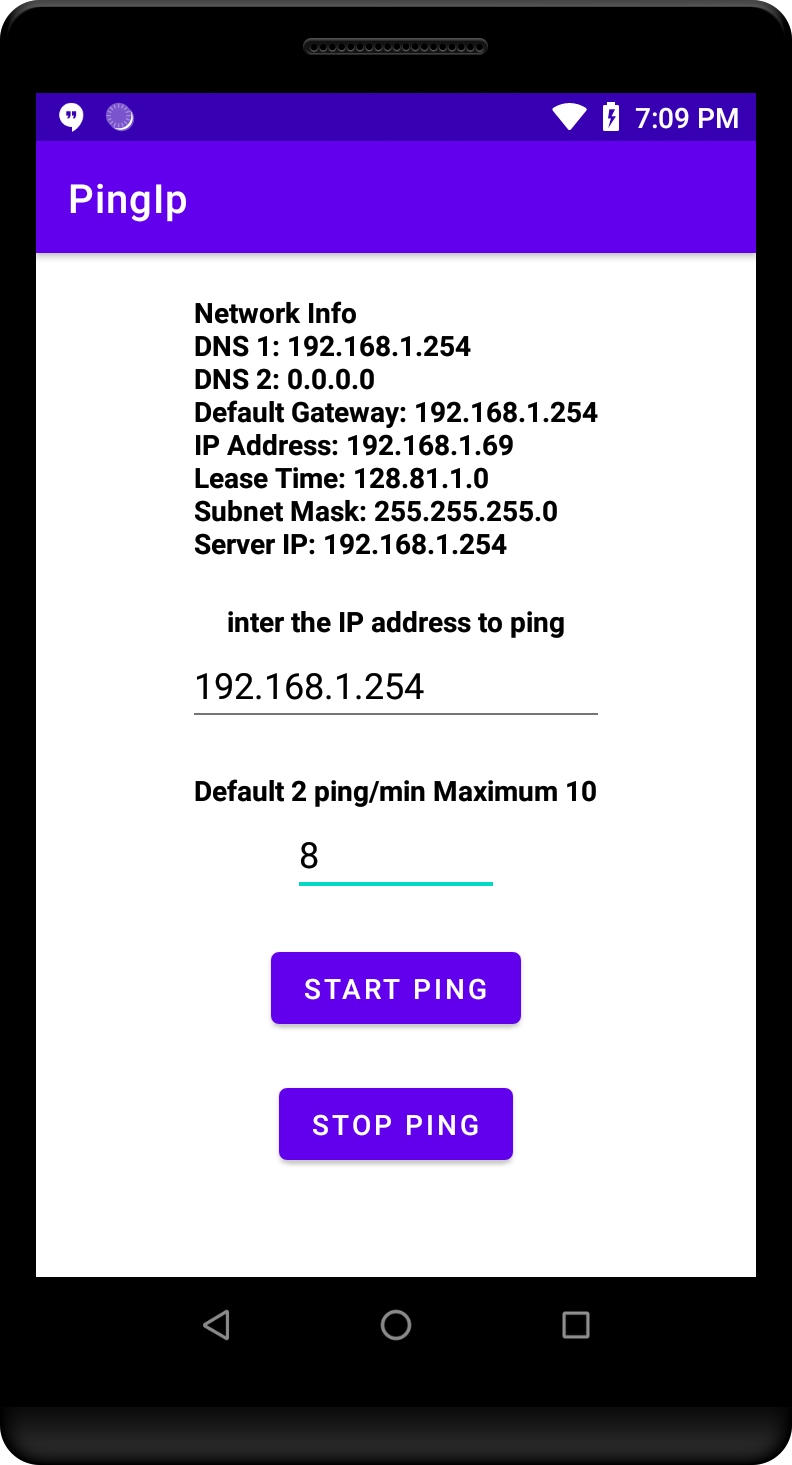
Today I am going to discuss about Ping in Android. Ping an IP Address used to determine if your device is connected to the internet. Below is the Ping Features : 

  • Ping is a network utility used to test reachable of an IP address or a host. 
  • It can measure the packet trip time which is called latency. 
  • Ping uses ICMP for request packets and waits for an ICMP response. 
  • Ping is useful to check a server's availability.
I am going to create one sample Android app to ping external IP address or AP Gateway IP Address. This application by default send 2 ping every minute. But it is configurable. You can increase or decrease ping rate either via UI or adb shell command.  You can download this app from my Github account.


Below is the code used in above app to ping given IP address
public boolean pingToServer(String host) {
//host = "192.168.1.65";
Runtime runtime = Runtime.getRuntime();
try {
Process ipProcess = runtime.exec("/system/bin/ping -c 1 " + host);
int exitValue = ipProcess.waitFor();
Log.d(LOG_TAG, "ping host: "+host+" exitValue: "+exitValue);
return (exitValue == 0);
} catch (IOException e) {
e.printStackTrace();
} catch (InterruptedException e) {
e.printStackTrace();
}
return false;
}
Above code used Android RunTime API to ping. It is very easy way to ping without going to much in details and no need to app get signed
public void startAlarm(int pingValue) {
final Handler h = new Handler();
Log.d(LOG_TAG, "MyPingService: PingCount : "+pingValue);
long startTime = System.currentTimeMillis();
int intervalTime = 30*1000;
if(pingValue<=10){
intervalTime = (60/pingValue)*1000;
}
final int delay = intervalTime; //milliseconds
Log.d(LOG_TAG, "MyPingService: Ping interval Time : "+delay);
h.postDelayed(new Runnable(){
public void run(){
//send Ping
if(IP_Address!=null){
if (pingToServer(IP_Address))
Log.d(LOG_TAG, "ping is reachable");
else
Log.d(LOG_TAG, "ping is not reachable");
}else {
if (pingToServer(getGatewayIP()))
Log.d(LOG_TAG, "ping is reachable");
else
Log.d(LOG_TAG, "ping is not reachable");
}
if (!stopHandler) {
h.postDelayed(this, delay);
}
}
}, intervalTime);
}
Above code set pinging on predefined value example :- 4 ping/minute. I am using Handler API  postDelayed  method to set repeating task.  
I have added Android Service to keep this app running in background . You can download my project and check all source code in details. 

Thanks
Saurabh 

Happy Coding !!! 

Saturday, 30 January 2021

Android JNI Example 3 : Handling Exception

Hi Guys !!! Hope all is well

This is my third post on Android JNI example series.  Previous two post link


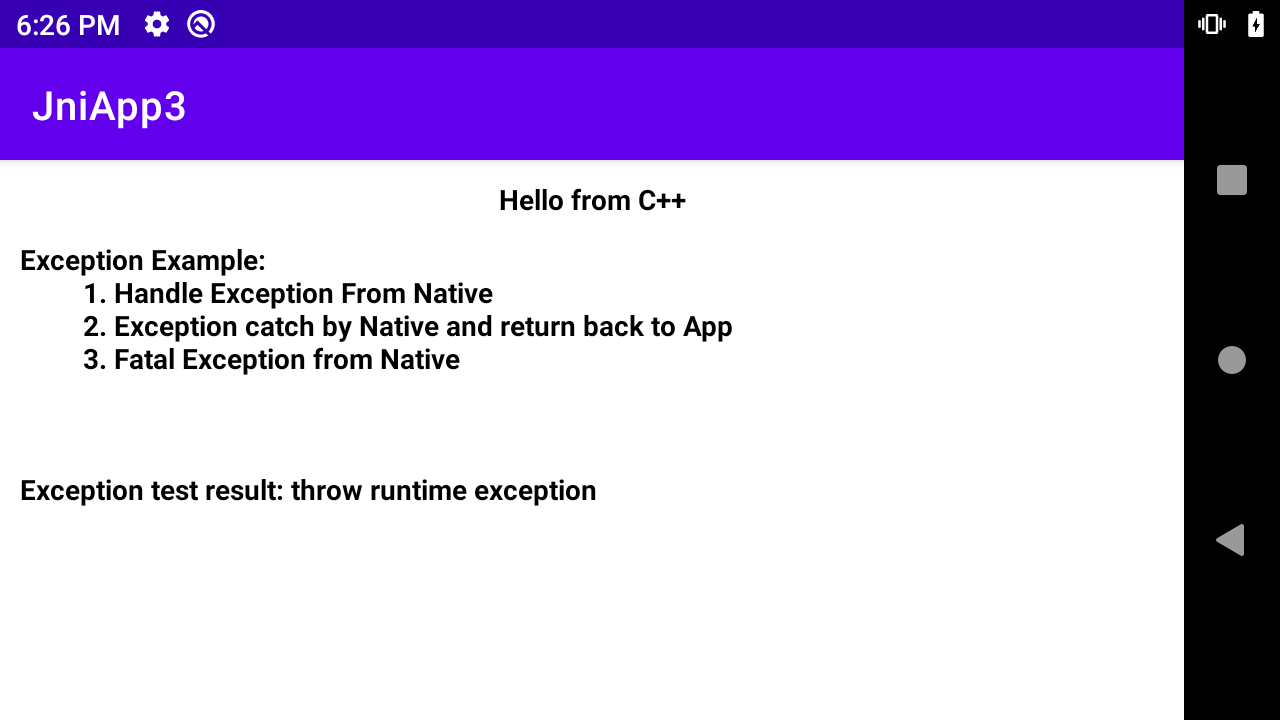
In this example I am going to discuss following :- 
  • Handle Java/App exception from native(jni)
  • Catch java/App exception in native and return back it to App
  • Example of Fatal exception in native

Below is application screenshot


The example code is on my github page

https://github.com/Saurabh-12/AndroidJNI

You can see code snippet for above example on my github page. So i am not doing it here copy paste.

Thanks
Saurabh 

Happy Coding !!! 

Monday, 4 January 2021

Android JNI Example 2

  Hi Guys !!! Hope all is well

In my previous post Android JNI Example 1I have discussed following : 
  • How to use latest Android Studio to develop Native application(NDK, JNI,CPP)
  • Received String from Native layer to Upper layer (App)
  • Send String from Application to native layer
  • Received String Array from Native to Upper layer
Now in Example 2, I am going to discuss following :- 
  • Call and set value for POJO or Getter/setter class in Native(jni/c++)
  • Call and set value for below Java Static and instance Method in Native(jni/c++) :
  • Boolean
  • Int
  • Float
  • Array
  • String
  • Access and set following Static and Instance variable value in Native(jni/c++):
  • Int
  • String
  • float

The example code is on my github page

https://github.com/Saurabh-12/AndroidJNI


You can see code snippet for above example on my github page. So i am not doing it here copy paste.


Thanks
Saurabh 
Happy Coding !!!

Android JNI Example 1

 Hi Guys !!! Hope all is well

I am going to show Android JNI example 1 using Android Studio.

In my previous blog on JNI and NDK, I have written below thread.

https://saurabhsharma123k.blogspot.com/2017/02/generate-so-file-by-using-ndk-and-use.html

https://saurabhsharma123k.blogspot.com/2017/07/exception-handling-in-jni-and-throwing.html

In this example, We can discuss below topic. 
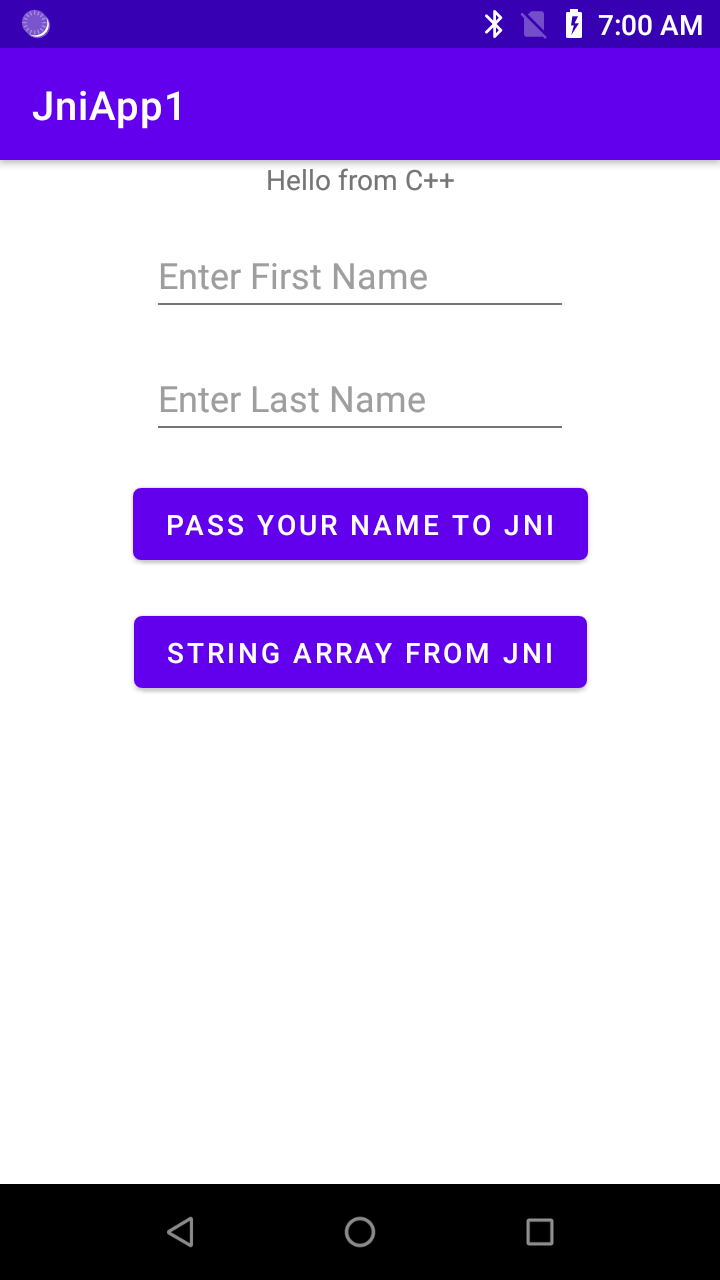
  • Received String from Native layer to Upper layer (App)
  • Send String from Application to native layer
  • Received String Array from Native to Upper layer

The example code is on my github page

https://github.com/Saurabh-12/AndroidJNI

In this example, I am using Android Studio (version 4.x) to write both java and native code. Unlike my previous example where I use NDK tool to generate shared library(.so) file and then use that file inside Android application. 

Thanks to latest version of Android Studio(AS) to incorporate CMake, so that we can develop java native application seamlessly.

Note :- 1. For Framework developer(Android System programing) , they can leverage this A.S. feature to develop and test before pushing there native app in Android BSP.

2. App package detail (java and cpp file), gradle build details and other AS stuff directly download full source code from my github page and import it in AS.

You can see code snippet for above example on my github page. So i am not doing it here copy paste.


Thanks
Saurabh 
Happy Coding !!!

Sunday, 27 December 2020

Top 25 Python Trick for String

 Hi Guys !!! Hope all is well

I am going to list down some famous Python trick for dealing with String.

Below is the example code(written in VS code IDE). You can also check my github page

https://github.com/Saurabh-12/Python_Learning

# All these examples are using Python 3

# 1. Is a Substring in a String?
def sub_stringCheck(haystack: str="", needle:str="") -> bool:
return needle in haystack

assest1 = sub_stringCheck("the quick brown fox jumped over the lazy dog", "lazy") #== True
print(assest1)
assest2 = sub_stringCheck("the quick brown fox jumped over the lazy dog", "lazys") #== False
print(assest2)

# 2. Reverse a String
# Use a slice with a decreasing step to return the reversed string.
def string_reverse(forward: str = "") -> str:
return forward[::-1]

print("hello",string_reverse("hello"))
print("goodbye", string_reverse("goodbye"))

# 3. Compare Two Strings for Equality
# Compare equality using == to see if two objects have an equal value.
# Compare identity using is to see if two objects are one and the same.
def are_equal(first_comparator: str = "", second_comparator: str = "") -> bool:
return first_comparator == second_comparator

print(are_equal("thing one", "thing two")) #False
print(are_equal("a thing", "a " + "thing")) # True

# 4. Lowercase, Uppercase, Sentence Case and Title Case of a String
# Python has a number of in-built functions you can use to change the case of a string.

def to_uppercase(input_string:str) -> str:
return input_string.upper()

def to_lowercase(input_string:str) -> str:
return input_string.lower()

def to_sentencecase(input_string:str) -> str:
return input_string.capitalize()

def to_titlecase(input_string:str) -> str:
return input_string.title()

def to_swapcase(input_string:str) -> str:
return input_string.swapcase()

print("THE END OF TIME ", to_uppercase("the end of time"))
print("the end of time ", to_lowercase("The End Of Time"))
print("The end of time ", to_sentencecase("The End of Time"))
print( "The End Of Time ", to_titlecase("the end of time"))
print("tHE eND oF tIME ", to_swapcase("The End Of Time"))

# 5. Concatenate Strings Efficiently
# Use join on an empty string to concatenate the parameters
def concateString(*args) -> str:
return "".join(args)

print("a b c : ", concateString("a", "b", "c"));

# 6. Is the String Empty or None?
def is_Null_Or_Empty(input_string : str = "") ->bool:
if input_string:
if input_string.strip():
return False
return True

print(is_Null_Or_Empty(None)) #True
print(is_Null_Or_Empty("")) #True
print(is_Null_Or_Empty(" ")) #True
print(is_Null_Or_Empty("D")) #False
print(is_Null_Or_Empty("None")) #False

# 7. Trim Leading and Trailing Whitespace
def strip_it(input_string: str) -> tuple:
return (input_string.lstrip(), input_string.rstrip(), input_string.strip())

left, right, full = strip_it(" A padded string ")
print(left)
print(right)
print(full )

# 8. Generate a String of Random Characters
# Use the secrets module to make random choices of characters to add to a string
import string
import secrets

def generate_random_string(length: int = 0) -> str:
result = "".join(
secrets.choice(string.ascii_letters + string.digits)
for _ in range(length))
return result

print(generate_random_string(20))

# 9. Read the Lines in a File to a List
# The file reader object f is being converted to a list implicitly here.
def file_to_list(filename: str = "") -> list:
with open(filename, "r") as f:
lines = list(f)
return lines
print(file_to_list("workData.txt"))

# 10. Find the Substring Between Two Markers
import re

def between(first: str = "", second: str = "", input_string="") -> str:
m = re.search(f"{first}(.+?){second}", input_string)
if m:
return m.group(1)
else:
return ""
print(between(input_string="adCCCTHETEXTZZZdfhewihu",
first="CCC",
second="ZZZ"))
# 11. Remove all Punctuation from a String
import string

def remove_punctuation(input_string: str = "") -> str:
return input_string.translate(str.maketrans("", "", string.punctuation))

print(remove_punctuation("Hello!"))
print(remove_punctuation("He. Saw! Me?"))

# 12. Convert Between CSV and List

def from_csv_line(line: str = "") -> list:
return line.split(",")
print(from_csv_line("a,b,c"))
# 13. take a list and return a CSV line
def from_list(line: list = []) -> str:
ret = ", ".join(e for e in line)
return ret

print(from_list(["a", "b", "c"]) )

# 14. Weave Two Strings
# Use zip_longest from the itertools module to zip two strings of unequal length
import itertools

def interleave(left: str = "", right: str = "") -> str:
return "".join([i + j for i, j in itertools.zip_longest(left, right, fillvalue="")])
print(interleave("ABCD", "01"))

# 15. Remove Unwanted Characters from a String
# Use the replace function. Remember: We can’t change the value of a string in-place — strings are immutable.
def remove_unwanted(original: str = "",
unwanted: str = "",
replacement: str = "") -> str:
return original.replace(unwanted, replacement)

print(remove_unwanted(original="M'The Real String'", unwanted="M") )

# 16. Find the Index Locations of a Character in a String
def find_char_locations(original: str = "", character: str = "") -> list:
return [index for index, char in enumerate(original) if char == character]

print(find_char_locations("The jolly green giant.", "e"))

# 17. Translate a String to Leetspeak
def to_leetspeak(normal_speak:str="") -> str:
leet_mapping = str.maketrans("iseoau", "1530^Ü")
return normal_speak.translate(leet_mapping).title().swapcase()

print(to_leetspeak("the quick brown fox jumped over the lazy dogs"))

# 18. Use Base64 Encoding on Strings
# Base64 is a method to encode binary data as a string for transmitting in text messages.
import base64

def encode_b64(input_string: str = "") -> object:
return base64.b64encode(input_string.encode("utf-8"))


def decode_b64(input_string: str = "") -> object:
return base64.b64decode(input_string).decode("utf-8")

print(encode_b64("Saurabh"))
print(decode_b64(b"U2F1cmFiaA=="))

# 19. Encode and Decode UTF-8 URLs
"""
UTF-8 allows us to use extended, double-word characters — such as emojis. T
hese need to be encoded before they can be used in a URL
"""
import urllib.parse

def encode_url(url: str = "") -> str:
return urllib.parse.quote(url)


def decode_url(url: str = "") -> str:
return urllib.parse.unquote(url)

print(encode_url("https://saurabhsharma123k.blogspot.com/?title=❤❤❤"))
print(decode_url("https%3A//saurabhsharma123k.blogspot.com/%3Ftitle%3D%E2%9D%A4%E2%9D%A4%E2%9D%A4"))

# 20. Splitting Strings
strings = "Saurabh Sharma Blog have nice articles"
print(strings.split()) # return whitespace seprated list of string"

# 21. Checking for Anagrams
from collections import Counter
def is_anagram(s1, s2):
return Counter(s1) == Counter(s2)
s1 = 'listen'
s2 = 'silent'
s3 = 'runner'
s4 = 'neuron'
print('\'listen\' is an anagram of \'silent\' -> {}'.format(is_anagram(s1, s2)))
print('\'runner\' is an anagram of \'neuron\' -> {}'.format(is_anagram(s3, s4)))

# 22. Checking for Palindromes
def is_palindrome(s):
reverse = s[::-1]
if (s == reverse):
return True
return False

s1 = 'racecar'
s2 = 'hippopotamus'

print('\'racecar\' a palindrome -> {}'.format(is_palindrome(s1)))
print('\'hippopotamus\' a palindrome -> {}'.format(is_palindrome(s2)))

#23. Find in String
var="Saurabh Kumar Sharma"
str="Sha"
print (var.find(str))
#24. Count : Returns the number of occurrences of substring ‘str’ in the String.
var='This is a good example'
str='is'
print(var.count(str))

# 25. Python replacing strings
a = "I saw a wolf in the forest. A lonely wolf."

b = a.replace("wolf", "fox")
print(b)

c = a.replace("wolf", "fox", 1)
print(c)


Thanks
Saurabh 
Happy Coding !!!

Monday, 21 December 2020

Some famous Python one liner code

  Hi Guys !!! Hope all is well

I am going to list down some famous Python one liner code example.

1. Swap two variables
a = 1b = 2
ab = ba
print(a,b#>> 2 1

2. Multiple variable assignment
Here you can use it to assign list elements to the given variables, which is also called unpacking. The * will do packing the remaining values again, which results in a sublist for c.
ab, *c = [1,2,3,4,5]
print(a,b,c#>> 1 2 [3, 4, 5]

3. Sum over every second element of a list
a = [1,2,3,4,5,6]
s = sum(a[1::2])
print(s#>> 12

4. Delete multiple elements
slicing syntax can also be used to delete multiple list elements at once
a = [1,2,3,4,5]
del a[::2]
print(a#>> [2, 4]

5. Read file into array of lines
c = [line.strip() for line in open('file.txt')]
print(c#>> ['sks1', 'sks2', 'sks3', 'sks4']

6. Write string to file
with open('file.txt''a'as ff.write('hello world')
print(list(open('file.txt'))) #['sks1\n', 'sks2\n', 'sks3\n', 'sks4\n', 'hello world!']

7. List creation
# List creation 
list_1 = [('Hi 'yfor y in ['sks''mks','pks']]
print(list_1#>> ['Hi sks', 'Hi mks', 'Hi pks']

8. List mapping
l = list(map(int, ['1''2''3']))
print(l#>> [1, 2, 3]
You can also use Pythons map() function to cast every list element to another type.

9. Set creation
squares = { x**2 for x in range(6if x < 4 }
print(squares#>> {0, 1, 4, 9}

10. Palindrome check
phrase = 'deleveled'
isPalindrome = phrase == phrase[::-1]
print(isPalindrome#>> true

11. Sum of Even Numbers In a List
a = [1,2,3,4,5,6]
s = sum([num for num in a if num%2 == 0])
print(s)

12. Creating Lists
lst = [i for i in range(0,10)]
print(lst#[0, 1, 2, 3, 4, 5, 6, 7, 8, 9]
# or 
lst = list(range(0,10))
print(lst)

13. Mapping Lists or TypeCasting Whole List
print(list(map(int,['1','2','3']))) #[1, 2, 3]
print(list(map(float,[1,2,3]))) # [1.0, 2.0, 3.0]
print([float(ifor i in [1,2,3]] )# [1.0, 2.0, 3.0]

13. Printing Patterns
n = 5
print('\n'.join('😀' * i for i in range(1n + 1)))

14. Prime Number
print(list(filter(lambda x:all(x % y != 0 for y in range(2x)), range(213))))

15. Find Max Number
findmax = lambda x,yx if x > y else y 
print(findmax(5,14))


Thanks
Saurabh 
Happy Coding !!!

Build a Custom Kernel Module for Android

Hi Guys!!!Hope you are doing well !!!. Today I will describe how you can write a custom kernel module(Hello world) for Android and load it a...