Hi Guys !!! Hope all is well
I am going to list down five very handy tools to use in Android development.
- scrcpy
- uiautomatorviewer
- Charles Proxy
- Stetho
- Source Tree
Scrcpy
https://saurabhsharma123k.blogspot.com/2020/05/vysor-alternative-app-scrcpy.html
This easy-to-install, lightweight and speedy application uses your Android device’s already established USB connection to mirror its screen on your desktop.- open source
- completely ad-free
- does not require any root access
- Interacting with real devices gives an emulator-like experience
- The image quality has a high frame rate and is very crispy
This tool lets you take UI XML snapshots of what you are currently viewing on your device.
This is of course an alternative to Android Studio’s built-in Layout Inspector, but I have personally found this tool to be faster, simpler, and more reliable.
To access the tool, navigate to
\Android\Sdk\tools\bin
Run the
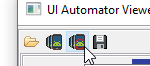
uiautomatorviewer binary and tap on this icon:
Charles Proxy
https://www.charlesproxy.com/
What is this? I’ll let its website explain it:
Charles is an HTTP proxy / HTTP monitor / Reverse Proxy that enables a developer to view all of the HTTP and SSL / HTTPS traffic between their machine and the Internet. This includes requests, responses and the HTTP headers (which contain the cookies and caching information).
What is this? I’ll let its website explain it:
Charles is an HTTP proxy / HTTP monitor / Reverse Proxy that enables a developer to view all of the HTTP and SSL / HTTPS traffic between their machine and the Internet. This includes requests, responses and the HTTP headers (which contain the cookies and caching information).
If your app interacts with a REST API, you can debug each of your outgoing requests and incoming responses.
Charles will snoop your app’s network communication and output every detail of your request including the URL, method, headers, or request body as well as the raw JSON data returned from the server.
This is the single source of truth of your app’s network communication and it makes network debugging a breeze.'
It’s also a great way to prove to your back-end developer that a bug is their fault by sending them the a raw curl command of your network request 😏:
Stetho is an Android debugging tool created by Facebook.
It is a free open-source platform that allows access to a Chrome Developer Tools feature native to the desktop browser.
Stetho features a network inspection function for image preview, JSON response helpers, and exporting traces to the HAR format.
Stetho features a network inspection function for image preview, JSON response helpers, and exporting traces to the HAR format.
SourceTree is a free, open-source tool that allows you to manage Git repositories through its simple Git GUI.
See all of your changes and branches clearly without having to write a single command line.
SourceTree also allows you to stage and discard changes by the file, hunk, or line.
Thanks
Saurabh
Happy Coding !!!


